
Nothing to dial or install
One click from an email or message opens the conversation in the browser. The customer allows the camera and microphone, and the agent starts talking.
Your customer opens a link, turns on their camera and talks with an AI agent in their own language. No number to dial, no app to install, and your team gets a recording, a transcript and a summary.
Most first conversations with a customer still happen on the phone. For someone who is already on your website, reading your email or chatting with your team, that is a step backwards: a number to dial, or a call to wait for at a time that suits your team. Calls go unanswered, people ignore unknown numbers, and every minute on the line is a telecom charge.
The conversations that matter most also need more than a voice. A hiring team wants to know that the candidate is present and answering for themselves. And once the call ends, someone still has to write up what was said.
The business sends a link by email or message. The customer opens it in a browser on a laptop or phone and talks with an AI agent.
One click from an email or message opens the conversation in the browser. The customer allows the camera and microphone, and the agent starts talking.
The conversation runs over the internet, not a phone line, so there are no telecom minutes for the session itself.
The agent is ready whenever the customer opens the link within the window you set, evenings and weekends included. More conversations do not need more people on shift.
The agents behind VocalMitra speak Hindi, Tamil, Telugu, Marathi, Bengali and English, so customers can answer in the language they think in.
The customer's camera adds presence to the conversation. For an interview, your team can see who answered.
Every session leaves a recording, a transcript and a summary, so nobody has to take notes and the customer's own words are on file.
Your system or your team sends the customer a personal joining link by email or message.
The customer opens it, checks their camera and microphone, and talks with the AI agent. The agent listens, asks follow-up questions and replies in speech.
Your team reads the summary, checks the transcript and plays back the recording, then decides the next step.
A hiring team approves the interview plan and sends the candidate an email invitation with a joining link. The candidate reads a disclosure, checks their camera and microphone, and answers questions from Ava, the AI interviewer, who follows up on what they say.
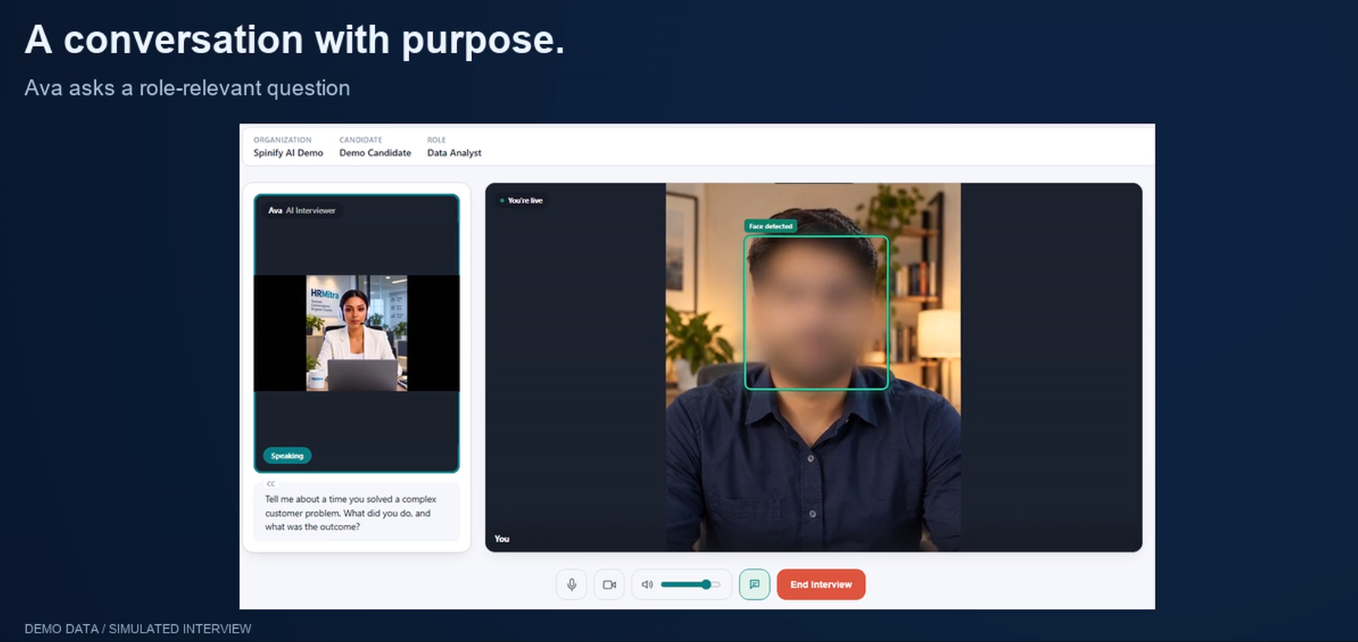
Every interview ends in a report: competency ratings backed by the candidate's own words, knockout checks, integrity signals for the team to review, the transcript and the recording. The AI's output is advisory, and the hiring decision stays with the team.
Anywhere you already reach the customer online and a structured conversation is the next step:
Each one is set up around your own process: the questions the agent asks, the languages it uses, and who on your team sees the record. Who can see recordings, how long they are kept and where the data lives are agreed with you before deployment.
We'll walk you through an AI conversation from a link, and the record it leaves for your team.